 Install & Punch Board
Every job from the bid to the punch-out. Install dates you can keep.
One app for the office, the shop floor and the install crews: bids your customers sign online, a shop schedule that sees trouble coming, and crews who have everything they need on their phones.
The demo is a made-up 30-person cabinet shop running on the real app. Click anything; nothing you do is real.
The problems every cabinet shop knows
The shop schedule works from each department’s real pace and warns you weeks ahead when a job won’t be ready, so you move the date before the customer has to ask.
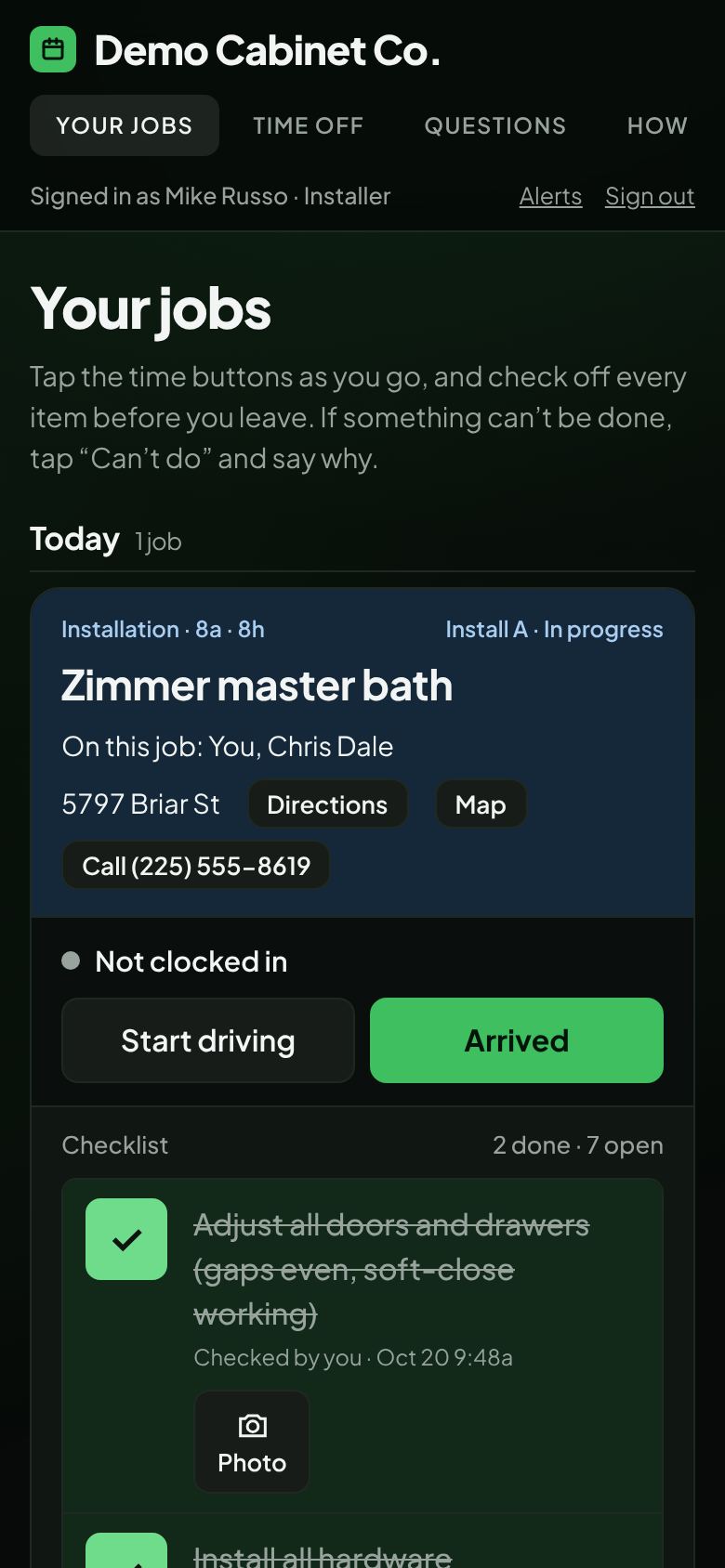
Each fix is listed with photos, scheduled for the crew that’s already nearby, and lands on the installers’ phones.
Crews tap in and out on their phones and the shop clocks in to each job. Payroll hours for the week are already added up.
Customers sign bids and change orders online. Follow-ups remind you who to call, and a signed bid becomes a job by itself.
Built around how a cabinet shop actually runs
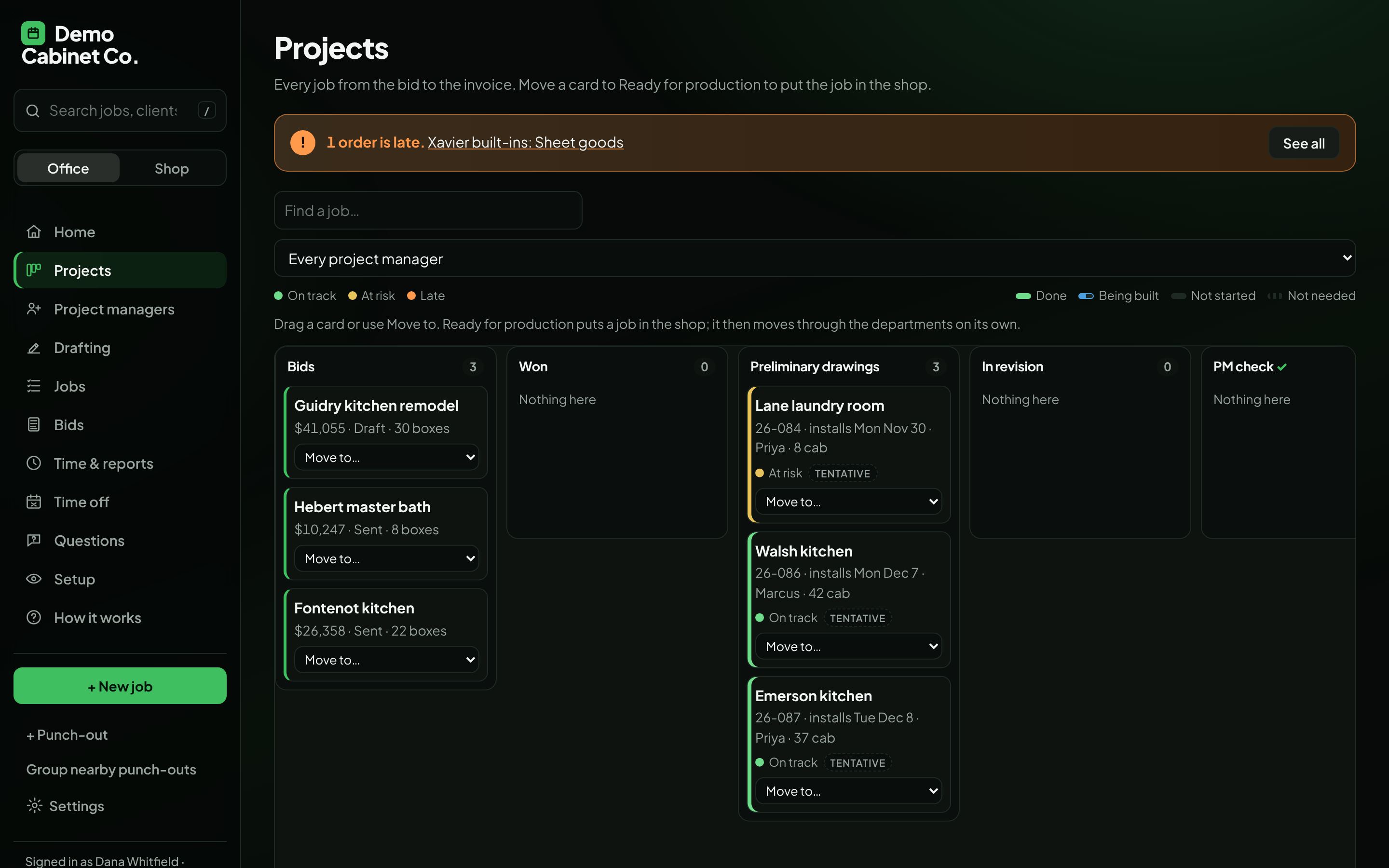
Every job on one board
Bids, drawings, each shop department, delivery, install and punch-out, in the order a job really goes.
- Green, yellow and orange show what’s on track, at risk or late
- Your own columns and the checks a job has to pass to move on
- Each project manager sees just their jobs
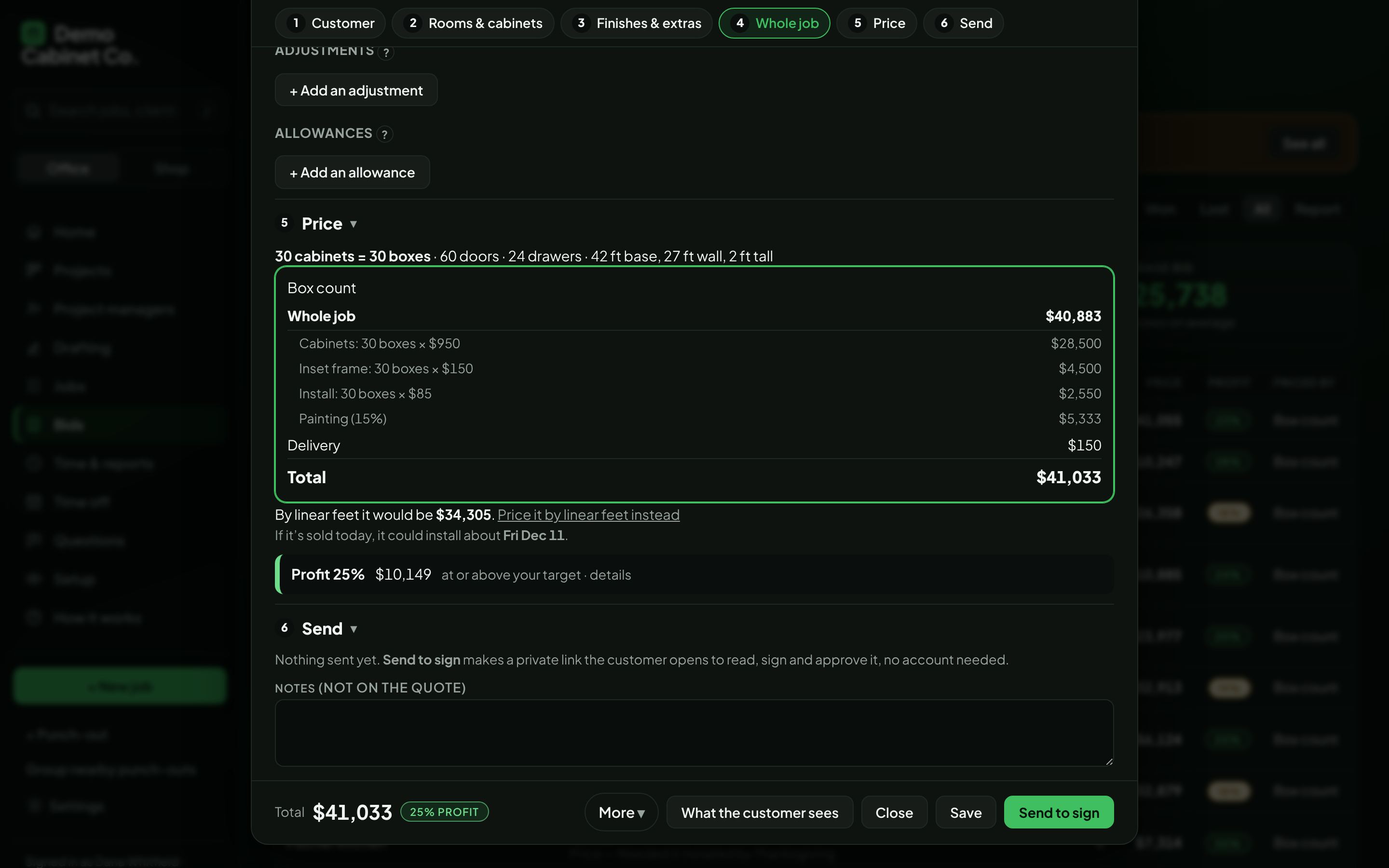
Bids priced your way, signed online
Room by room from your own price book, with a profit check on every bid before it goes out.
- Upload the drawings and the cabinets are read off them
- Customers read, sign and approve on their phone, no account needed
- Change orders show exactly what changed; allowances and deposits tracked
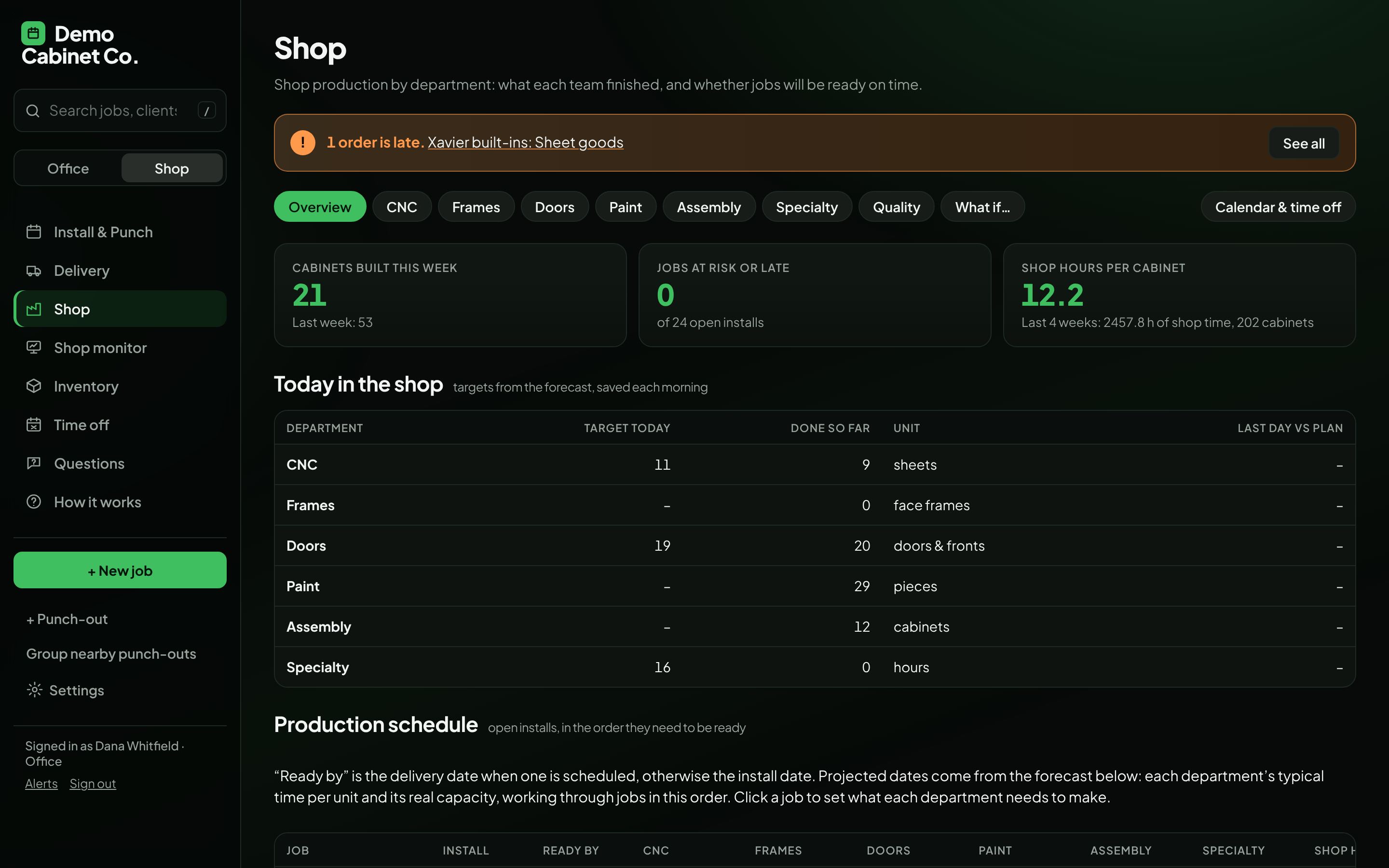
A shop schedule that sees trouble coming
CNC, frames, doors, paint, assembly and specialty: what each department finished, and whether every job will be ready on time.
- Forecasts from your shop’s own pace, not guesses
- A big tap counter and job clock for the shop floor
- A live Shop monitor for the TV on the wall
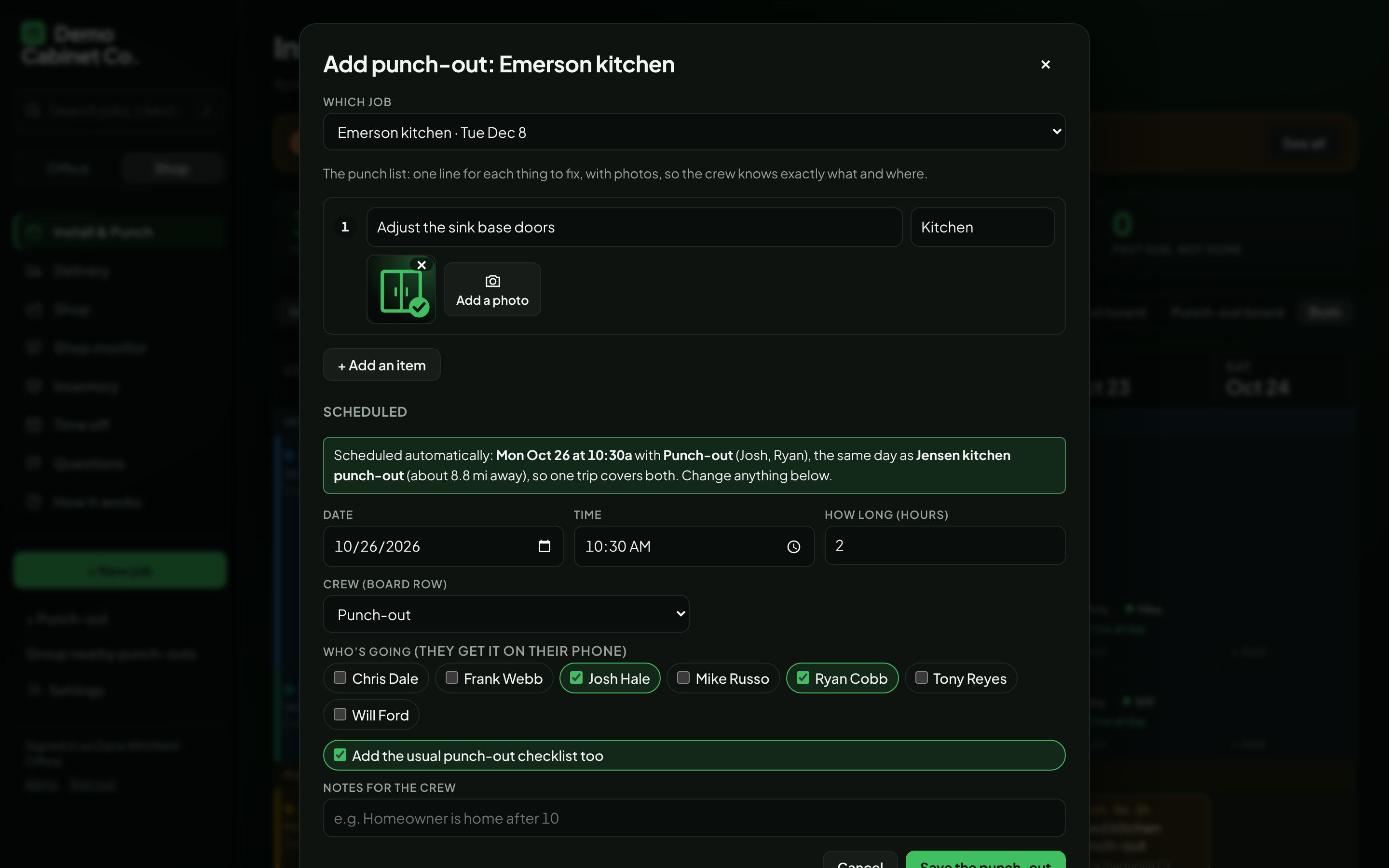
Punch-outs with photos, scheduled for you
List what needs fixing with photos taken right there. It’s booked for the soonest crew, on the same day as other punch-outs nearby.
- The crew gets it on their phone with every photo
- Map pins for new neighborhoods without an address yet
- Anything a crew can’t finish becomes the next punch-out by itself
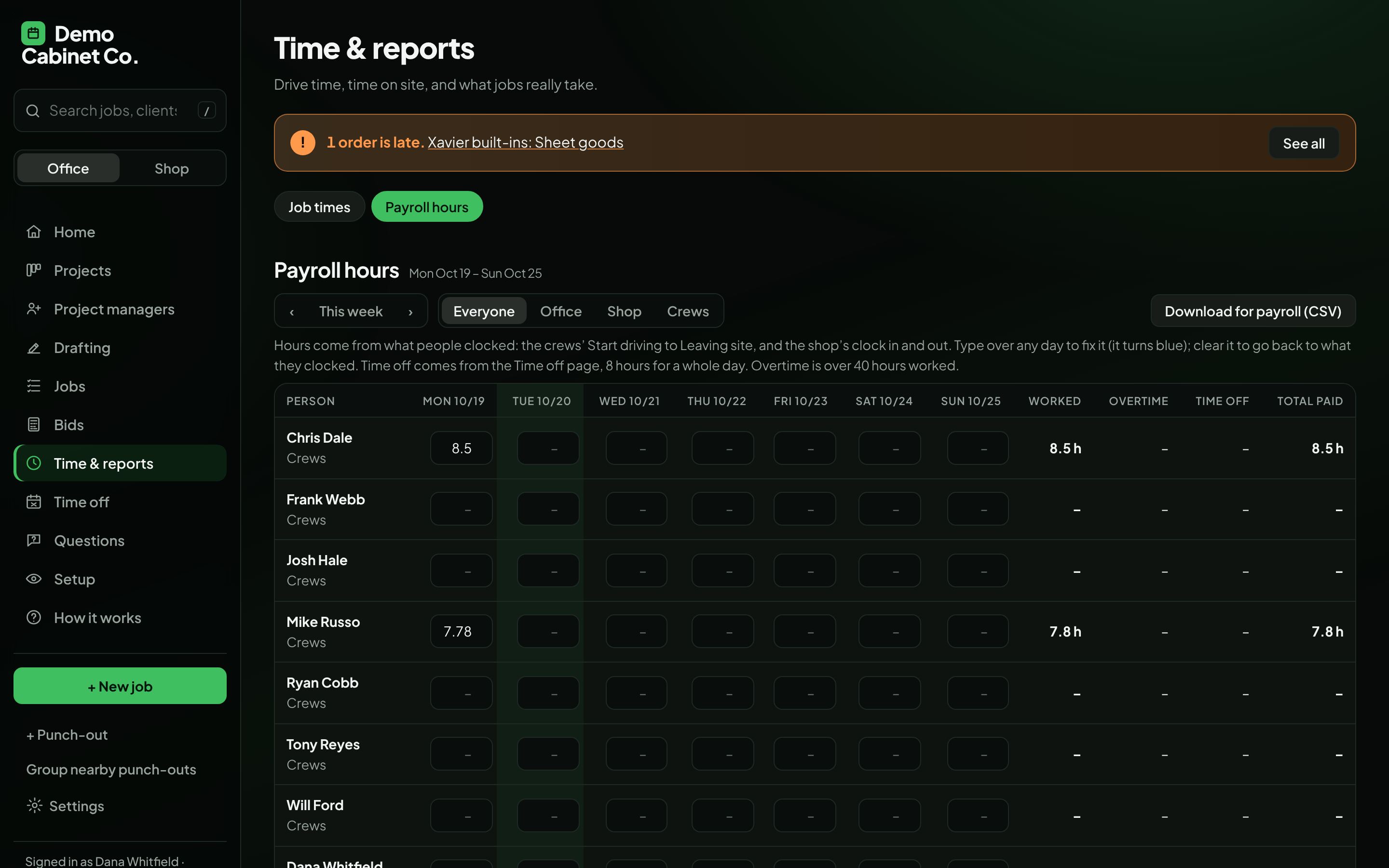
Payroll hours, already added up
Everyone’s week from what they clocked, with time off and overtime.
- Fix any day; every change is recorded
- Approve the week to lock it, then download it for payroll
- Only the people you pick can see it
And the rest of the day
Each team sees the tools for its own work
Click around a working shop
The demo opens a made-up 30-person cabinet shop with jobs, crews and bids already in it. A short guided tour shows each part, or pick your role and see what you’d use every day.
Request a walkthrough
Leave a phone number or an email and we’ll set up a time to walk you through it with your own jobs.